Friday, February 5, 2016

OS X El Capitan on Mac Pro 1.1

After owning a Mac Pro for one month I thought it was time to upgrade, and so I did. Choosing a graphics card was not so hard, I wanted a budget graphics card with the capability of playing some light games so I went with a Radeon R5 230. The graphics card works perfect but I lost the boot screen because it isn't flashed. My Mac Pro doesn't recognise the card as an R5 230 but as an ATI Radeon 6000 series which isn't a big deal to me.

Installing OS X El Capitan was very easy and it took me literally 5 minutes. I have just one complaint, and those are the random crashes and just the stability overall. The machine goes into sleep randomly and just doesn't wake up but when I hit the power button it turns off instantly and in a normal situation you have to press the power button for 10 seconds until it shuts down. What irritates me the most is that some applications just quit by them selves. This mostly happens just before it goes into sleep. But apart from that El Capitan works really smooth and I enjoy working on it. If I have to do some really important work I'll switch to my Lion installation which is on my second hard drive until I've solved this issue. 

I'm going to post a tutorial about how to put El Capitan on a Mac Pro 1.1, so if your curious about how I did this make sure to check in next week!

Thursday, February 4, 2016

Are the 2006-2009 MacBooks still useable?

Apple has brought out a lot of MacBooks over the past years, and one of the most iconic MacBooks are the original one's from 2006 until 2010. Today, I am going to tell you why these laptops are one of my favourite laptops ever made.

The build quality of these laptops is absolutly amazing. Sure it gets scratched up over the years, and the plastic is going to break at some places, but thats to be expected. I've used my 2008 MacBook for over 2 years as a desktop replacement so it was running a lot and it has never crashed. The screen could have been better, because the colors are starting to give a yellow tint after a few years, and the keys are getting a bit mushy to but its still useable.

OS X Snow Leopard is one of the best operating systems out there, because its very stable and it has never crashed on me. When I was running Lion on my MacBook the fans would go crazy at idle and when I reinstalled Snow Leopard it all acted normal again. And Snow Leopard has still support, and a lot of developers are still making apps for it, so its still useable. You can still use it for day to day tasks like Skype, e-mailing and watching video's but if your doing a lot of processor or graphicscard intensive stuff I wouldn't recommend this computer because the hardware is old. But for normal tasks these laptops are really great, and mine has served me well over the years.


Saturday, January 30, 2016

My Top 3 Gaming Graphic Cards

Hello guys and welcome back to a new post, and in this post I will tell you my top 3 gaming graphic cards, and some facts about these.

My number 3 is an AMD R9 285 2GB ddr5, because this graphic card has and average benchmark score of 7 out of 10 so this isn't a bad card but I know it can better.
So my number 2 is a Nvidia Geforce GTX 780 3GB ddr5. This is a nice gaming card, this card has a benchmark score of 8.5 out of 10. The most older game pc's are made with this card because this is a really nice card for gaming.
And than at least my number 1 gaming card, the Nvidia Geforce Titan X with a benchmark score of 9.4 out of 10. Why is this my number 1? Just because the power of this graphic card, you don't need a second graphic card for playing games on ultra, and also the clock speed of 1GHz is amazing.  This card has 12GB ddr5 Vram.

This was my top 3 gaming cards. I hope you guys like this post and I hope you will read my next post too.

Friday, January 29, 2016

Is the Lenovo C40 a budget computer or just cheap?

There are a lot of all in one pc’s out there, and when I was browing the web a few days ago I just started researching which all in one pc would be the best for under $500, and let me tell you, there aren’t a lot of them out there but I found one and I really like this pc.

Lets start with the design which is nice. I mean its not high end or anything but its a 500 dollar computer so you can’t expect any metal or something like that. The computer is made from shiny plastic which isn’t a problem for some people but personally I don’t like shiny plastic because its a real fingerprint magnet. The Lenovo C40 has build in sound which is to be expected from an all in one computer, and it has front facing speakers and thats a big con for me because if your listening to music or watching a movie its important that the sound is facing towards you and not away from you. If you want to videochat its not a problem because Skype comes pre-installed and it has an 720p HD webcam up front, so you can Skype with your friends and family on its 21.5” full HD screen.

The specs of this all in one aren’t the best, its useable but you can’t compare it to the iMac. This model uses an Intel Pentium 3825U clocked at 1.9 GHz and it has 2MB of cache the 4GB of RAM is useable, but 8 would be better. Even for the day to day tasks. It uses the intergrated HD Graphics but this pc is not made for gaming so thats all right I think. Windows runs flawlessly on this Lenovo which is to be expected because its still a 500 dollar pc. If you want to game I think its possible, but don’t expect to play GTA V because it isn’t made for gaming. This computer is made for home or business, so actually its made to do your basic stuff on it like e-mailing, text-editing and some web browsing. Light games like Minecraft and League of Legends will work, but I don’t think its a smart idea to play Battlefield on this computer.  

As expected this computer isn’t really great, but for day to day tasks its perfect, and its great for the price. I want to thank you all for reading, and until the next one!

Wednesday, January 27, 2016

Rode PSA-1 Studio arm

Hello guys and welcome to a new post, and in this post I will tell you guys some things about the Rode PSA-1 Studio arm and ofcourse my opinion about it.

First I will say that I use this Studio arm for a month now, and I love it, it is a real good Studio arm.


Some facts about this studio arm:
horizontal range: 820 mm
vertical range: 840 mm
suitable for microphones from 700 grams to 1.1 kilograms (in combination with a shock mount)


I use this studio arm in combination with a shock mount, and my Devine usb-1 microphone, and it is very stable. So the facts about this arm and about the suitable capacity are real.

So this was a short post, and as I said a post ago I will post more of this short posts because I like it to write a post, but I don't know some subjects to write about.
I hope you like this post.

Tuesday, January 26, 2016

My top 3 smartphones

Almost everybody has a smartphones these days so today I'm going to write about my top three favourite smartphones. Unfortunately I don't own any of these smartphones but I'm just going to let you know why I like these smartphones so much.

The HTC One M9 is my favourite smartphone. I've always wanted to own an HTC One, and there are a few good reasons why I want to own this beautiful phone. The design of this phone is absolutly georgious with its aluminium and glass body, its just so well made and after holding one myself I completly fell in love with this phone. HTC Sense works flawlessly, you can make and adjust your own themes, and just like any other Android smartphone there are plenty of handy widgets and apps. I really love Blinkfeed, its a really nice touch to HTC Sense. I just love the idea that you can read all of your social media messages in just one swipe. I switched to a HTC One X a few weeks ago, and I really looking forward to upgrade to this phone.

I really love Apple, and I really love iPhones, but my favourite iPhone is the 6S+ . A lot of people hate the iPhone 6S+ because they think its to big to be an iPhone, but I think it really has some cool features. iPad users won't have to carry them around anymore, because the iPhone 6S+ is big enough. I have to admit though, when the iPhone 6+ was released I really hated it. I didn't like the design, and it was to big in my opinion but after seeing some video's about it I really started to love this phone.


This one is going to surprise you, but I really like the Microsoft Lumia 950. I don't like the design, because its made from plastic and its supposed to be a flagship device and compared to the other flagships phone out there the build quality is just bad. I do like Windows 10 mobile, it has some really cool features. You can connect your phone to your computer, and just work on your phone, and I really love cool features like that. Windows 10 mobile has some great potentials in my eyes, it just needs some development, and when I win the lottery or just become really rich this one of the gadgets I want to buy.


Friday, January 22, 2016

Some big changes!

If you look at my post dates you can see that I haven't been posting a lot lately, and I wanted to change that for a long time, but I just was to busy with important stuff. But I'm back. I'm going to post 2 days a week, and I want to post about different things. On Tuesday I am going to post about portable tech so I'm going to post about smartphones, tablets and laptops, and on Friday I'm going to post about computer related stuff like operatings systems or new computers.

I do want to change the name of this blog, because I'm not going to post only about Apple, because I really started to like Windows and Android to. The interface of this blog will be completly different, I don't know how I'm going to do it but the current interface is just messy and its starting to feel really outdated. The biggest change is that I will purchase a domain name for this blog next month, and I'm going to give my blog an completly different name, I have I'm thinking about a few names but I have to see if those names are already taken. This blog will get its own logo as well, I'm going to design it myself and I already started actually.

The reason why I'm going to change a lot about my blog is because I love to write, but I want to publish it so the whole world can see it and I think that almost every content creator out there really get a special feeling if they know that people enjoy their work, and I'm not getting that feeling right now.

Thats all I have to say for now, thanks for reading and until the next one!


Apple Mac Pro 1.1 is it still useable in 2016?

Hello and welcome at another post,

Last week I've purchased a Mac Pro 1.1 and it performs without any problems, at least for my needs but in this post I will let you guys know if its still powerful enough for professional photo and video-editing.

First of lets start with the boot time. The boot time is around one minute, maybe a bit more, maybe a bit less but thats with a standard hard drive. A Mac Pro 1.1 has the support for a SSD but keep in mind that when your owning a Mac Pro or thinking of buying one this Mac doesn't use the most expensive SSD to its full capability. The current model iMac is going to have much faster read and write with the same SSD because of the newer and improved SATA connections. So if you can buy the most speedy SSD on the market for your Mac Pro, but the Mac doesn't even use the maximal capability's why won't you buy something cheaper, and be sure your Mac Pro can get the most out of the product. And to be honest, even with the hard drive the Mac Pro isn't very slow but when your used of using a SSD you really notice the speed difference.

The original graphics card in the original Mac Pro is just crap. The NVIDIA GeForce 7300 GT is really outdated by todays standard, and it can barely play GTA IV on low settings with a maximum frame rate of 24 FPS, and GTA IV is a game from 2008. I am using the stock card for now but I'm probably going to upgrade the original card to an AMD Radeon R7 240 with two gigabytes of DDR3 RAM next month, and if you have an older Mac Pro with stock graphics card you are really going to notice the difference in performance, and if you really want to you can even put OS X 10.11 on your Mac Pro. Upgrading from OS X 10.7.5 isn't possible with the NVIDIA GeForce 7300 GT so if you already own a Mac Pro and you want to upgrade your OS you will have to change your graphics card!

The most current supported operating system for the Mac Pro 1.1 is 10.7.5 Lion, but this can be upgraded with a better graphics card and some more RAM if you have less then 4 gigabytes. OS X Lion is still very useable, and I don't want to upgrade for now because its runs flawlessly on the Mac Pro. A lot of applications are still available for OS X Lion and even for OS X 10.6. But if you own a Mac Pro already and OS X Lion isn't good enough for you your able to upgrade to OS X 10.10 Yosemite or 10.11 El Capitan with some changes to your boot.efi for example.

The Mac Pro 1.1 isn't expensive these days. I've picked mine up for 130 euro's and it came with an Apple keyboard, mouse, OS X Snow Leopard, OS X Lion and the original box and powercable. Its just a very useful computer still to this day, and I won't see myself upgrading soon because it handles everything I throw at it.

This was todays post. Thanks for reading and until the next one!


Wednesday, December 30, 2015

AMD R9 255 OEM

Hello guys and welcome to a new post, in this post I will tell you guys some things about my Graphics card AMD R9 255 OEM.

This is a special made card for some types of standard PC's, and is not sold separately.
The specs of this card are not the best, and not the worst. This Card has 2GB Vram and a Clockspeed of 900 MHz, so this is not the fastes GPU, but also not the slowest, I can play games like Assassins Creed Unity with Low Graphics with a average of 25 FPS.

Now my opinion about this card, I think this is not the best low-budget made card by AMD, and I think for novice gamers this is a good trial card, but for the High-end Games like GTA V, Assassins Creed Unity and Syndicate this isn't the right card.


This was my post about the AMD R9 255 OEM, I hope this was a informative post, and I hope you will read my next post too.

Friday, December 25, 2015

My blogging comeback!!

Hello guys and welcome to a new post of me.
In this post I will tell you guys I'm back, and I'm going to post more.
I was a very long time not active with te blog, but I have more time now behind school, so I can make more posts for you guys.

In my folowing posts I will not only tell you guys some things about tech stuff, but also about some happenings now and in the past. I'm also going to make reviews about some stuff.

So I hope you have enjoyed this post, and I hope you guys will read my next posts.

Monday, December 21, 2015

Mac Pro 1.1 update

Hello everybody, and welcome at an update post. I have some very exciting news, and I'm going to change some things in my setup in the near future so lets get started!

After a lot of research, and waiting I finally sort of purchased a Mac Pro 1.1. I'm going to pick it up on January 9th, and I'm so excited. The Mac Pro has two Dual Core Intel Xeon's clocked at 2.66 GHz so that's basically a quad core processor. It has 6 GB's of RAM which is enough for now, however I'm planning to order 16 GB in March so then it has a total of 22 GB of RAM which is a lot. I am upgrading the graphics card to an AMD Radeon R7 240 with 2 GB of DDR3 VRAM which I'm buying on the same day so on January 9th I have a working Mac Pro 1.1.

Later this year I am going to change some things in my setup because I want my setup to have a black and white theme. I'm thinking about purchasing at least one 23 inch aluminum Apple Cinema Display, to match the theme, and of course the Apple wireless keyboard and mouse. I do want to buy a broadcast stand for my Samson C01U Pro so I have more desk space. The Mac Pro is big computer, I really have no idea where to put it but I will figure that out.

I have owned my MacBook for over 2 years now, and that's not going to be my main computer anymore, so I will write a kind of review about the laptop, because it has been my first Intel Mac and I've used it to post in this blog to. In that review I'm going to write how it performed, if I ever had crashes and if its still worth buying.

I hope you liked this post and until the next one.


Saturday, November 28, 2015

My top 3 favorite laptops


Hello guys and welcome at a new post, today I am going to talk about three of my favorite laptops, two of them are Mac’s and one is a pc, so without further a do lets get started.

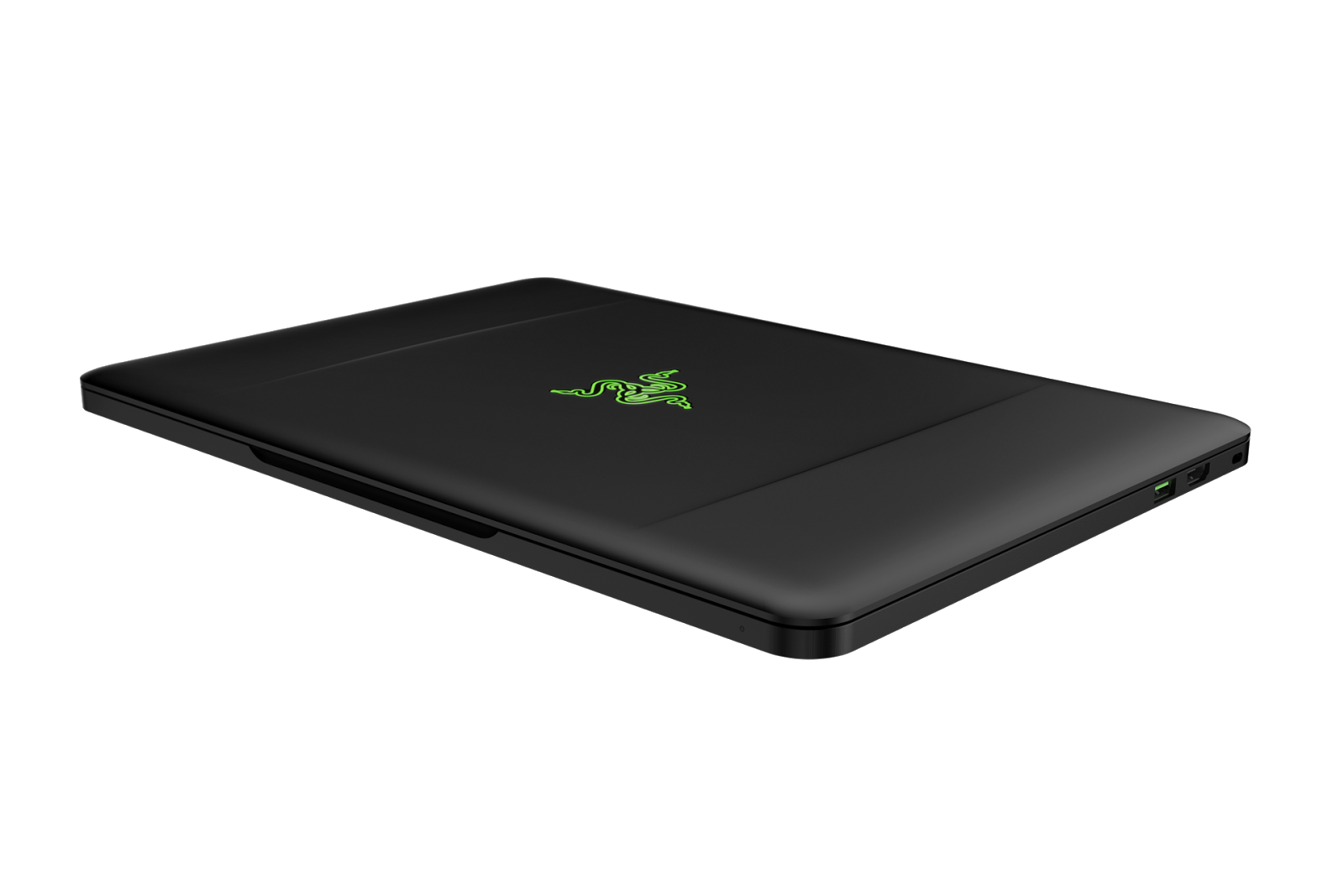
Lets start of with number three of my list, and that is the Razer Blade 14 inch. I just love the design, it looks a bit like the Retina MacBook Pro, but this one just looks more bad ass. It has a black finish, and the illuminated Razer logo on the lid. I’ve never used this computer, but I’ve seen plenty of reviews and pictures of it to base my opinion on. The keyboard looks really comfortable to me, and a lot of reviewers say that the keyboard is a very high-quality keyboard. The speakers in this laptop are very good compared with other laptops, which surprised me a little, because to be fair I’ve never owned a laptop, or used a laptop with a decent pair of speakers. They all sound really tinny and very cheap.
Lets get back to the point, the Razer Blade 14 is a gaming notebook, and that’s why I love it so much. Most gaming laptops look bulky and heavy like some models of MSI or Alienware, but this laptop looks so nice. It is thin, and light but it still has a lot of power under the hood. The screen looks very nice to me, and its touchscreen so that’s something I really like about the Razer Blade. If I have to choose a gaming laptop I would choose this above an Alienware because of the very nice design and touchscreen.

Number two of my favorite laptops is my old and trusty early 2008 MacBook with an Intel Core 2 Duo processor clocked at 2.4 GHz, originally it came with a 160 GB hard drive which I upgraded to an Samsung SSD with 256 GB. I own this laptop for around two years now and it has never let me down, and it runs very nice still to this day. I really love the design of this laptop, as most Apple fans know its made from white plastic, the bad thing about this design is that the plastics cracks after a few years of use. My MacBook is in almost mint condition, and the plastic had just cracked a little bit. The keyboard is really nice even after more then 6 years of use, but it feels a little worn out compared with the new MacBooks. The screen has an LCD backlighting which means that its yellowed after al those years, if you’re using the MacBook without a second display its not really noticeable but compared with my iiyama its just looks really yellowed. My iiyama is a newer screen off course, and it has LED backlighting so you can’t really compare it. The MacBook I own has 2 gigabytes of RAM but you can 4 gigabytes in it but I’m not seeing the need to upgrade it because when I buy a Mac Pro that will become my main machine. 


My favorite laptop is the MacBook Air, because its light and thin, the Air just looks really nice overall. The MacBook Air’s aren’t really powerful compared to the Pro’s but they’re a lot cheaper then MacBook Pro’s. The keyboard on those laptops are really nice, and they type wonderful. It’s a shame that the screen isn’t retina, but it is good enough to work with. I love the 11 inch version because its really small so you can easily put them in your bag. The battery lives on the Air’s are great, the 11 inch has over 9 hours of battery life, and the 13 inch has over 12 hours of battery life, and this is just one of the reasons why this laptop is great for students. You don’t have to charge them while in class, and the portability is just great. There is not much to say about this laptop, because its just the perfect laptop eventually for people like me, who don’t need a lot of power on the go. If I have to buy a new laptop it would definitely be this one.

Wednesday, November 18, 2015

Dream setup updates

Hello everybody and welcome at another post,


This post is a quick update post, because I have some plans for the setup, and I've found a new way to afford it. I've got a job at Mc Donald's so I can earn some money to buy new things for my setup. Now that I've got a job I can buy more expensive things, and buy everything faster. I will still be buying a Mac Pro 1.1 but its going to see some upgrades. I'm defenitly upgrading the graphicscard allthough I'm not sure which brand and wich model. Later this year I will upgrade the two 2.66 Dual Core Xeons to two Quad core Xeons, which makes a total for eight cores.

The 1.1 is an older machine, and I'm perfectly aware of what I'm buying but if in spend some money on it, it will be a powerfull machine which wil suite my needs. My current MacBook will be upgraded to somewhere in the new future, I'm thinking of buying a MacBook Air 2011 of 2014. In my older post I mentioned something about buying a MacBook Pro, but I've grown older and wiser and I've learned that paying for things you don't need is just stupid. Sure the MacBook Pro's are nice computers, and they are very fast but I just don't need a very powerful machine so the MacBook Air will suite my needs just fine.

So this was a quick update on my setup, and next month I've saved up all the money to buy the Mac Pro so stay tuned for my review and opinion about it. If I find something interesting to write about I will defenitely do it, but if I don't my first post will be around Christmas.

Thanks for reading, and untill the next one!

Thursday, November 12, 2015

My ultimate desk setup

Hello everybody and welcome at a new post.

I've bought a new desk a while ago, so a huge part of my ultimate desk setup is already completed. I will purchase some other things. After doing a lot of research I came to the decision that buying a Iiyama Prolite E2483 HS is the best way to go. Sure an Apple Cinema Display looks really nice but its a bit outdated. And the funny thing is, a 23 inch aluminum Cinema Display is almost the same price as a brand new Iiyama Prolite. My current monitor isn't for sale anymore but it is a wonderful monitor, so I'm just buying the newer one because the bezels are the same size and the panel is probably the same. Its a full HD LED screen, so it won't use a lot of electricity either.

I'm going to purchase an used Mac Pro 1.1 next month and it will see some mayor upgrades to keep it up with modern computing. I am going to upgrade the processors from 2x 2.66 GHz Dual Core Intel Xeon's (Woodcrest) to two Quad Core Intel Xeon's (Costa Rica) and I am going to put a Nvidia Geforce GT 720 in it so its nice and fast again.

And to fully complete the setup I will be buying a new Apple Wireless keyboard and the Apple Magic Mouse 2. I am looking for a new MacBook, but that is the last thing I'm going to upgrade because my early 2008 MacBook is just fine for when I'm on the road. If I'm buying another laptop I will probably go for the 2012 MacBook Pro or the 2014 MacBook Air. When this is al completed my dream setup is done.

I hope you guys enjoyed this post, thanks for reading and until the next one!

Wednesday, November 4, 2015

Update!

Hello everybody and welcome at another update post,

My setup has changed completely last month, I bought a new desk, and my setup is completely different. I have awesome plans for the future, I'm going to buy an Iiyama Prolite E2483HS to sort to match my Iiyama Prolite E2482HS, and I'm going to mount them both. I'm getting a Mac Pro, and a new keyboard, mouse and speakers.

I'm going to make another post about my setup very soon, I'm just very busy with school, and thats the reason why I don't have much time to write a post.

But I probably will upload every update about my setup this Sunday, thanks for reading and until the next one.

Saturday, October 17, 2015

Changing my setup!

Hello everybody, and welcome at another post.

I wanted a new setup for a long time now, and I've been posting about it a lot really but its finally going to happen. I'm getting a new desk, and not just a regular desk. I'm going to build the desk with my dad. The length of the desk is 2 meters, and that is the whole width of my room. So I will have a lot of space for my setup. I'm going to build it from some nice wood, and I'm going to mount in on the walls, and I'm going to put two nice gray industrial style legs in the middle. I do have some LED strips lying around so I'm definitely going to install those underneath the desk.

This isn't just a setup for me, I'm turning 16 in a few months, and using computers had become a huge part of my life, and I use computers for everything. I'm following a class called ITTL on my high school, and I need Photoshop a lot, and with a regular worn out 13 inch laptop screen it can be difficult sometimes. The screen of my MacBook isn't the worst display to look at, but when zooming in a lot, its just a bit annoying. Luckily for me, I've got an Full HD LED iiyama Prolite 2482HS which works wonderful, the colors are very nice and clear and its a matte display and I like those better then regular glossy displays. The only downfall right now is that I can't use the display because my desk is to small, so I can't use my MacBook as a desktop computer. But that's all going to change very soon.

Because this is going to be my first real nice setup, I'm going to think everything out within the littlest details. I am going to manage my cables real nicely, but I don't have a clue how to do that. The cable of my speaker is just going to be zip tied to my leg I think, and the cables of my laptop, monitor and speakers are going to be hidden behind my heater, and I'm hoping this will hide almost every cable until I came up with a more permanent solution.

I am planning of buying two second hand 20 inch Apple Cinema Displays and the new Apple Wireless Keyboard and Magic Mouse to improve my setup. The iiyama is a wonderful display but I actually want to use that as my television so I can just play some games on my PS3 when I'm not behind my desk, and I just love the design of the Apple Cinema Display, the aluminum of
those displays will look very nice on my new desk, my future Mac Pro, and the new keyboard and mouse I'm going to buy. I don't really know when everything is complete, the desk is build very soon, the Mac Pro will be bought in December or January, and I have no clue when I saved up the money for two new displays but I will post updates about the progress regularly.

Unfortunately I can't post pictures about the desk because I haven't build it yet. But
Thanks for reading, and until the next one!

Friday, October 9, 2015

My ultimate setup for 2016!

Hello everybody and welcome at another post,

In three months from now I will own my first Mac Pro, and my current setup is well, a bit simple. I was thinking, maybe its a good plan to give my setup an upgrade as well with the most important thing being the desk. The desk I'm currently using is just a simple white table, with no drawers or anything. I seriously want a new desk, but my room isn't the biggest, so after some serious thinking I decided that a corner desk is the way to go.

My computer screen doesn't necessarily need an upgrade, its a full HD Iiyama Prolite, 24 inch with one VGA port, one DVI port and one HDMI port, so the screen isn't my biggest concern, but it would be nice to own an Apple Cinema Display 23 or 24 inch, and an Apple keyboard and mouse so I have a complete Apple setup. I will buy a Cinema Display somewhere in 2016, because I love the design of those monitors and a Cinema Display will look very nice because the desk I'm buying is going to be white.

Cable management is something I really want to improve when I have a Mac Pro, because its a desktop, and it requires a lot more cables than a laptop. I only have around 5 cables plugged in to my laptop now, so there's not a lot to manage there, but a desktop computer requires a lot more cables. Luckily most Ikea desks have cable managements trays underneath the desk, and if they don't I'm just going to buy the Ikea Signum. The Ikea Signum is a bracket, where you just throw all of your cables in, and they're out of sight. There will be some minor changes as well, I'm going to get a broadcasting stand for my microphone so it isn't taking space on my desk all the time, and I'm probably going to get a new speaker system, nothing crazy, probably just a 2.1 set.

Unfortunately I didn't had any important to tell, but I did want to post something. I do hope to have this setup done in September next year. Of course I'm posting updates about the Mac Pro, and the change for my setup.

Thanks for reading, and until the next one! 

Sunday, October 4, 2015

Apple Mac Pro talk

Hello everybody and welcome at a new post,

Today I'm going to rant a bit more about the Mac Pro, the reasons for me buying such a big desktop, and my Apple history because I thought that would be fun to include as well, so you guys can see which Mac's I owned in the past.

In a previous post I mentioned ditching the Mac Pro 1.1 idea, and getting a 2008 Mac Pro. Guess what, I'm ditching the 2008 Mac Pro just because I don't have a real job yet. When I turn 16 I can get a good paying job and save up money for a newer and better Mac Pro. I'm going to another school in about 2 years, and in that period I need a lot of horsepower, and in two years I definitely have the money to buy another Mac Pro. For now a 1.1 will do the job. I need more horsepower then my MacBook can deliver, don't get me wrong its a wonderful machine and it keeps up fairly well with the machines of these days but its just not strong enough to do the tasks I ask it. I've got some new classes now and for one I need to use Photoshop and Final Cut Pro and thats why I need another computer. I always wanted a Mac Pro, but my MacBook was doing everything I asked from it, but now I need to do a lot of thing with it, and of course my MacBook just doesn't have enough power. The MacBook is still a wonderful machine, and I will be keeping it for when I travel but after 2 years I just felt it was time for something more powerful. I'm just hoping to get 3 years out of the Mac Pro so I can save up enough money to order a brand new one from Apple, but we'll see. Once I get the Mac there will be a lot of upgrading done so that should be interesting.

A Mac Pro 1.1 is fairly outdated by todays standards, and some of you may be questioning yourselves, why would he spend his money on a computer thats outdated. Well to start with, I don't have a lot of money because I'm to young to work a proper job, and I'm just not feeling spending an extra 300 euro's on a computer when I can get a new desk, an Apple wired keyboard, a Magic Mouse and a secondhand Cinema Display for the same price. The 1.1 will do all that I ask it to do, and the support is not terrible I guess. Yeah its outdated and it can only run 10.7 Lion but I'm using Lion for almost 2 years now and it never crashed on me. If I ever want to upgrade to 10.10 Yosemite or 10.11 El Capitan thats possible and its fairly easy. I just need to buy some more RAM for the machine, depending on how much is installed when I purchase it, and I need to upgrade the graphics card, then I have to change some files and boom. Its ready to run Yosemite, and at that time maybe even El Capitan. So as said before, the support is not terrible it can technically run the newest operating system with some tweaking here and there.

So as I am getting new Mac soon, I thought it would be fun to include my Mac history, so lets get to it. I started with a Mac Mini G4 which I still own because its a very special machine to me It was my first Mac, and that machine changed my life basically, because that computer made me got interested in computer and all sorts of different tech. After the G4, I've upgraded to a PowerMac G5. It was a 2005 PowerMac G5, and I don't remember the specs, I just know that it was the top of the line model. Back then this computer was way to expensive for me but luckily my dad bought a new computer so I got his PowerMac, and it felt like that thing could fly. It was so fast at the time, and especially for a child of my age, I really loved that thing to pieces, but one day it got an error. So I threw it away, and I feel so dumb for doing that because about two months later I found the solution for this error. No, it wasn't the operating system, or a broken hard drive. It was the Airport Extreme which I've never used in my life on that machine. I just had to unplug it from the motherboard and it would run perfectly again. So yeah, always do your research before throwing any broken computers out. But lets move on to the Mac I'm using now. A 2008 MacBook 4.1, the top of the line model with a 2.4 GHz Core 2 Duo and 4 GB's of DDR 2 memory. I love this Mac to pieces and it has done everything I wanted it to do for the last 2 years now, and once again, I'm not upgrading because my MacBook is broken or to slow, because it can handle all day to day tasks, and its really fast if you stick a SSD in it, I just need some more power.

So thats is for this post, it is a long one, but as I'm not posting a lot these days, I thought lets write a long post this time. Thanks for reading and until the next one!


Friday, October 2, 2015

Building a pc

Hello everybody and welcome to another post.

As mentioned in the last post, I am building a pc for my brother, just to make clear I am keeping my promise, I haven't spend any money because my brother is paying for everything but as he doesn't know anything about computers I am building his pc.

Its an AMD build with an AMD Radeon R7 240 with 2GB DDR3 VRAM from Sapphire, an AMD FX 8350 Black Edition with 8 cores and 4 GHz, 8 GB of RAM, an Asrock 970 Pro3 R2.0, a Kingston 120 GB and a random 1TB Western Digital HDD I had spare in one of my drawers.

So the build was very fun. It was my first real build and it went almost flawlessly, I had a few problems here and there, but nothing really serious, actually configuring the hard drive correctly was the hardest part. I was lucky to have an old Pentium 4 pc, because my the case of the computer is my Antec Three Hundred gaming case with my Corsair CX600 power supply and he is also using my RAM and well we missed some screws and that sort of stuff. The graphics card wouldn't fit correctly at first, but after some fiddling around I got it to fit nice and tight.

Everything went flawlessly and with everything installed the computer works and it hasn't crashed once. It plays GTA V and the Elder Scrolls Online on Ultra, so that's very nice. I am going to do a benchmarks challenge with this pc against my future Mac Pro 2008 8 core. We all know the outcome already but I think it would be fun for a post.

So thats it for today, thanks for reading and until the next one!

Saturday, September 26, 2015

Mac Pro and setup

Hello everybody and welcome to a new post!

As I mentioned in the previous post, I am going to buy a Mac Pro 1.1in December or January, but its not going to be a 2006 Mac Pro. I've got my eye on a 2008 Mac Pro 8 Core because this model of Mac Pro is still supported by Apple and can run OS X Yosemite without any modding. That's one of the reasons why I'm going to buy this Mac Pro, but I also want and need a lot of power because the end of my high school days are coming to an end, and that means that I'm going to start my next study which has everything to do with graphics design. One of the reasons that I choose this school above all the others is that they're using Mac. They even say on their website that its recommended to buy a Mac instead of a pc, but you can still buy a pc if you want to because those are generally cheaper.

I have a lot of plans for this Mac Pro, like upgrading the RAM to 16 GB and upgrading the graphics card, so it has enough power to edit video's and using Photoshop without to much of a hassle. Newer than a 2008 Mac Pro is probably to expensive still, but we'll see, maybe I'll find a nice deal on eBay or something.

My setup is going to change drastically when I purchased the Mac Pro because I'm also going to get a new desk and a 24 inch Apple LED Cinema Display, wired Apple keyboard and the Apple Magic Mouse. Because when I turn 16 I can work a lot, and that way I can earn money. I'm 15 right now and I'm already applying for jobs to fund my needs, and that's also the reason why I am able to have more money to spend on my computer and thinking back it was actually really stupid to even think to buy a 2006 Mac Pro. Yes they're still generally powerful, yes they're really reliable but one of the biggest reasons of me buying a Mac Pro is the capability of using the newest operating system to use the latest applications. And buying a 2006 Mac Pro doesn't make sense. Yes its more powerful than my MacBook, but it also isn't supported like my MacBook so yeah.. Mac Pro 2008 8 core it is.

I'm am building a pc by the way, not for myself but for my brother, so I won't lose any money but I think its fun to write about the specs and my first real pc build in another post. But apart from that I'm really look forward to owning a Mac Pro and I'm not going to spend any money on tech until the Mac Pro. So with this all said I think its time to end this post, so thanks for reading and until the next one.